
What can your smartphone’s camera do? Take photos, scan QR codes, host video calls—these are all common knowledge. But what if I told you that the device you hold in your hand every day could also double as a ready-to-use electronic tape measure? Would that open up a whole new world of possibilities for you?
This is exactly what apps like Distance Meter aim to achieve: transforming your phone into a measuring expert that fits right in your pocket.
How It Works: Aim, Shoot, Get Data
The underlying principle is surprisingly straightforward. By leveraging the built-in camera and motion sensors, Distance Meter calculates the distance between you and a target object, as well as the object’s height, simply by aiming at its base and its top.
The operation is incredibly intuitive:
● Measure Distance: Stand still, point your camera at the base of the target object (where it touches the ground), and tap the shutter.
● Measure Height: Aim at the top of the same object, and tap again.
The entire process feels as effortless as taking a photograph. It eliminates the need to carry a physical tape measure or a laser rangefinder—just pull out your phone, aim, and the data appears on your screen.
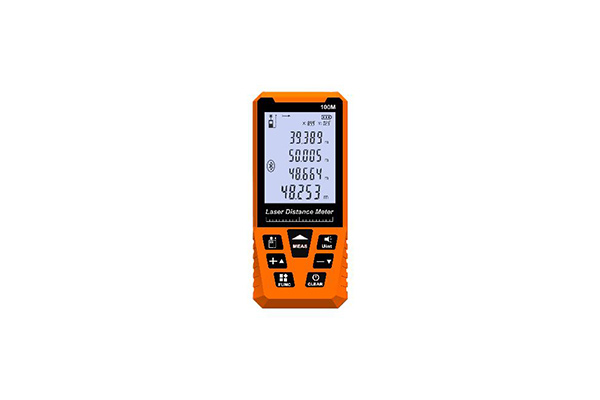
Beyond Distance: A Full-Featured Toolkit
In addition to core distance and height measurement, HOLO Distance Meter have integrated additional practical tools, effectively creating a compact “measurement toolbox”:
● Area Meter: Measures the surface area and border width of an object. After setting the approximate distance to your target, you can adjust the on-screen frame, and the app will calculate the corresponding area, height, and width data.
● Image Meter: This is an especially useful feature. You can take a photo that includes a reference object of known size, and later open that image to measure the dimensions of any other object within the picture.
With these features at hand, whether you’re checking furniture dimensions at home or estimating the height of a building outdoors, your smartphone can handle a wide range of measurement scenarios.
The Reality Check: How Reliable Is It Really?
The concept sounds promising, but the reality may require some tempering of expectations. Despite its innovative appeal, distance-measuring apps have received mixed user feedback, with several recurring issues worth noting:
1. Accuracy Limitations: Many users report noticeable measurement errors, making precision a legitimate concern. For scenarios that demand exact figures, these apps are better suited for providing rough estimates rather than authoritative data.
2. Stability and User Experience: Some users have encountered crashes, startup failures, and other technical glitches that significantly undermine the experience. Meanwhile, the heavy volume of ads in free versions has drawn criticism, with some even labeling them as “adware shells.”
3. Learning Curve: Certain apps require confusing initial setup steps—such as entering your device height—or unit conversion processes, which can frustrate casual users.
Final Thoughts: A Fun and Handy Pocket Tool
All things considered, Distance Meter represents a creative and inspiring direction for mobile utility apps—unlocking the untapped potential of smartphones for everyday life. While it may not yet replace professional surveying instruments, it offers tremendous convenience when you need a quick estimate and don’t have a proper measuring tool nearby.
It is, in essence, a practical and entertaining “pocket expert.” Just remember to approach its readings with a healthy dose of flexibility, as accuracy improvements will ultimately depend on continued advances in both hardware and software algorithms. For now, think of it as a smart assistant—not a precision instrument—and you’ll never be disappointed.